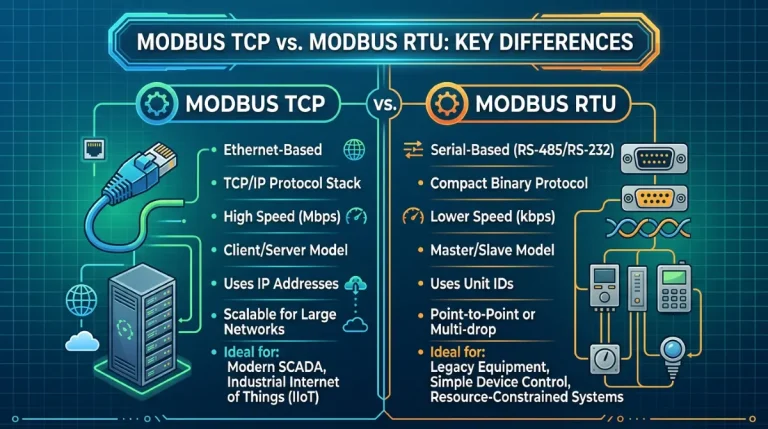
Modbus TCP vs RTU over TCP: What’s the Difference?
They sound like the same thing — and that is exactly why this confuses everyone. Modbus TCP and RTU over TCP both travel over a TCP/IP network, but the bytes on the wire are different protocols. Mixing them up is one of the most common reasons QModMaster connects to a gateway yet reads nothing but timeouts.
The core difference in one paragraph
Modbus TCP wraps the request in a 7-byte MBAP header (transaction ID, protocol ID, length, unit ID) and drops the RTU CRC, because TCP already guarantees delivery. RTU over TCP takes a complete, untouched RTU frame — address, function, data, plus its 2-byte CRC — and simply stuffs it inside a TCP connection as the transport pipe. No MBAP header, no transaction ID. Same network cable, different envelope.
Side-by-side: what’s on the wire
- Modbus TCP frame:
[MBAP: transaction ID (2B) | protocol ID (2B) | length (2B) | unit ID (1B)]+[function code + data]— no CRC. - RTU-over-TCP frame:
[slave address (1B) | function code + data | CRC16 (2B)]inside TCP — no MBAP, byte-identical to what would travel over an RS-485 cable.
Practical consequences:
- In Modbus TCP, the transaction ID lets the master pair each response with its request — responses can even arrive out of order. RTU over TCP has no such mechanism; it behaves like a serial line (one request, one response, in order).
- In Modbus TCP, the unit ID byte in the MBAP header is what lets a TCP gateway route your request to one of several RTU slaves behind it. In RTU over TCP, the slave address lives in the first byte of the raw RTU frame itself.
- A device expecting Modbus TCP that receives a raw RTU frame (or vice versa) will simply ignore it — you get timeouts, not error messages. This is the signature symptom of a protocol mismatch.
When do you actually meet RTU over TCP?
You meet it at transparent gateways (also called serial servers or “transparent transmission” mode). These devices do not translate protocols at all — they take whatever bytes arrive on the RS-485 side and forward them raw over TCP, and back again. The widely used Waveshare serial gateways, for example, document two modes: a ModbusTCP conversion mode on port 502 (the gateway translates between Modbus TCP and RTU) and a transparent mode (raw RTU frames over TCP, commonly on port 8899). If your gateway is in transparent mode, the master software must speak RTU over TCP — plain Modbus TCP will not work, and vice versa.
Other places RTU over TCP shows up: Home Assistant’s rtuovertcp connection type for transparent bridges, USB-over-network serial servers, and TCP multiplexers that forward a serial port to several clients.
Which mode do you pick in QModMaster?
Here is the honest part: QModMaster only offers two modes — RTU (serial port) and TCP (Modbus TCP). There is no dedicated “RTU over TCP” option. What to do depends on your gateway:
- Gateway has a ModbusTCP conversion mode (e.g. Waveshare port 502): switch the gateway to that mode and use QModMaster’s TCP mode. The gateway translates MBAP ↔ RTU for you. This is the path of least resistance and what we recommend for debugging.
- Gateway is locked in transparent mode (raw RTU over TCP): QModMaster’s TCP mode will not work — it sends MBAP frames the transparent gateway forwards verbatim to a slave that expects a CRC-terminated RTU frame. Either reconfigure the gateway to conversion mode, or use a tool with explicit RTU-over-TCP support for that hop.
- Direct RS-485 via USB adapter: use QModMaster’s RTU mode — the frames are RTU either way, so there is no mismatch to worry about.
For the full walkthrough of the transparent-gateway scenario — including why QModMaster’s TCP mode times out against port 8899-style transparent servers — see QModMaster RTU over TCP Explained.
Quick diagnosis checklist
- TCP connects fine, but every read times out → suspect a Modbus TCP vs RTU-over-TCP mismatch. Check which mode your gateway port expects.
- Reads work through the gateway from one tool but not QModMaster → compare which protocol variant each tool sends (Wireshark with the
modbusfilter makes this visible in seconds). - Multiple slaves behind one TCP gateway, only the first responds → check the unit ID handling; see our gateway guide linked below.
FAQ
Is RTU over TCP the same as Modbus TCP?
No. Modbus TCP uses a 7-byte MBAP header (with transaction ID and unit ID) and no CRC. RTU over TCP sends a complete RTU frame — including its CRC16 — inside a TCP connection, with no MBAP header. A device expecting one will ignore the other.
Does QModMaster support RTU over TCP?
Not as a dedicated mode — QModMaster offers RTU (serial) and TCP (Modbus TCP). If your gateway runs in transparent mode (raw RTU over TCP), switch the gateway to its ModbusTCP conversion mode (often port 502) and use QModMaster’s TCP mode, or use a tool with explicit RTU-over-TCP support.
Why does my transparent gateway time out with QModMaster’s TCP mode?
Because the gateway forwards QModMaster’s MBAP frames verbatim to the RS-485 slave, which expects a CRC-terminated RTU frame and silently discards the MBAP bytes. The signature symptom is a clean TCP connection with 100% read timeouts.
Related Guides
- QModMaster RTU over TCP Explained — the transparent-gateway scenario in depth.
- Download QModMaster — free, open-source (LGPLv3) Modbus master.
- Modbus TCP Wireshark Capture Analysis — see the MBAP header vs raw RTU bytes for yourself.