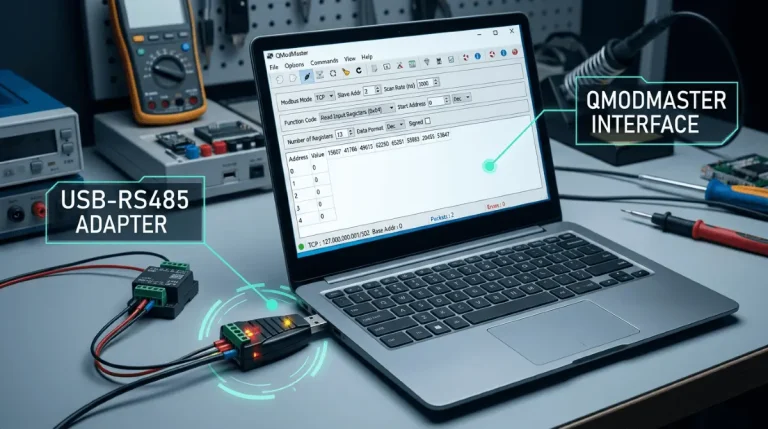
QModMaster View Menu: Float/Int/Hex/Binary Explained
The View menu in QModMaster does not change what your device sends — it changes how the same raw bytes are interpreted and displayed. Pick the wrong format and a perfectly healthy reading looks broken; pick the right one and half of all “wrong value” mysteries solve themselves. This page is the hub: what each format means, when to use it, and the exact switching sequence to run when a reading looks wrong.
What the formats actually do
Every Modbus register is 16 bits. The View menu decides how those bits (and groups of them) are decoded for display:
- Hex (16-bit): shows each register exactly as it arrived, e.g.
0x04D2. This is the ground truth — no interpretation, no surprises. Always start here when something looks wrong. - Binary (16-bit): the same bits as 0s and 1s. Useful when you are debugging individual status flags / bit fields packed into one register.
- INT16 / signed 16-bit: interprets one register as −32,768…32,767. Right for counters and small signed quantities — wrong for anything that exceeds 32,767 (it will flip negative).
- UINT16 / unsigned 16-bit: interprets one register as 0…65,535. Right for raw ADC counts, status words, and protocol fields.
- INT32 / UINT32 (32-bit): combines two consecutive registers into one 32-bit integer. Right for energy totals and large counters — but sensitive to word order (ABCD vs CDAB).
- Float (32-bit): combines two consecutive registers and decodes them as an IEEE-754 floating-point number. Right for voltages, temperatures, and power with decimals — but sensitive to byte order (four possible orders).
Which format, when: the cheat sheet
- Debugging anything and unsure → Hex. Read raw first, interpret second.
- Status flags, alarms, bit-packed coil images → Binary or Hex.
- Small counters, setpoints, temperatures as integers → INT16/UINT16.
- Energy totals (kWh), large counters → INT32/UINT32, then check word order.
- Voltage, current, power, temperature with decimals → Float, then check byte order.
The “reading looks wrong” switching drill
Run this sequence top to bottom. Stop at the first step that explains the value — most cases resolve at step 2 or 3.
- Step 1 — Hex. Switch to Hex and read the raw register(s). If the raw words already look wrong (all
0xFFFF, all zeros, unchanging), the problem is upstream: wiring, address, or slave — not the format. - Step 2 — match the documented type. Check the device’s register map: does it say this address is INT16, UINT32, or Float? Set the View format to match exactly. A UINT32 read as INT32 flips negative past 2,147,483,647; a Float read as INT32 is garbage.
- Step 3 — test word/byte order. If a 32-bit integer is ~65,536× off, the words are swapped → word-swap fix. If a float shows astronomical values, try the other byte orders → float byte-order fix.
- Step 4 — apply scale and offset. If the value is off by 10×/100×/1000× or a round constant, it is scaling or an offset → scale factor & offset guide.
- Step 5 — verify the address. If the value is plausible but belongs to a different measurement, you are reading the wrong register: check 0-based vs 1-based addressing in your device’s manual.
Common mistakes
- Reading a Float register as INT32 (or vice versa) — the two decodings of the same bytes look nothing alike, and both look “broken.”
- Reading an unsigned quantity as signed INT16 — values over 32,767 wrap negative.
- Forgetting that 32-bit formats consume two registers — if you request only one register and display INT32, the second half is missing.
- “Fixing” the format when the real problem is the address — always confirm raw Hex values against the device’s own display first.
Deep dives
- Modbus Float Shows a Wrong Value? Byte-Order Fix — four byte orders, Schneider’s official guidance, QModMaster workflow.
- Modbus 32-bit Integer Wrong? Word Swap (CDAB) Fix — the 65,536× signature and the EM24 little-endian trap.
- Modbus Values Off by 10x? Scale Factor & Offset — the Deye temperature offset-1000 example and 60-second mental-math check.
FAQ
Does changing the View menu change what QModMaster requests from the device?
No. The View menu only changes how received bytes are decoded for display. The Modbus request (function code, address, register count) is unaffected.
Which View format should I start with when debugging?
Hex. It shows the raw register contents with zero interpretation, so you can tell whether the problem is the data on the wire or merely how it is decoded.
Why does my float show a huge wrong number in QModMaster?
Almost always a byte-order mismatch: the device sends the four bytes in a different order than the Float decoder expects. See the float byte-order fix for the four orders and how to identify yours.
Related Guides
- Modbus Float Shows a Wrong Value? Byte-Order Fix
- Modbus 32-bit Integer Wrong? Word Swap (CDAB) Fix
- Modbus Values Off by 10x? Scale Factor & Offset
- Download QModMaster — free, open-source (LGPLv3) Modbus master.
Learning Modbus data encoding properly pays off on every device you touch: recommended Modbus protocol book.